Drillmaker for Students/Educators

A student recently explained to me that they had to create a drill for set of briefs they wanted to learn. In my view, the best way to do this would be creating a repetitive dictation of the brief(s) a person wants to drill, marking that for dictation, and then practicing at some kind of speed. I know minimal computer coding, and have made tools to try to help students and educators cut down on busywork in the past, but because my coding knowledge is so limited, I’ve never quite mastered it enough to make it easy for people, and consequently, the tools I’ve designed go underused.

I plan to continue to do research and make a real effort to make these tools accessible, but in the meantime, I have a workaround that anyone can do from their computer in five easy steps.

Step 1:
Get the code. Go to my Dropbox, highlight the code text, right click it, and copy it. You can also use CTRL+C when things are highlighted to copy them. Don’t waste your time reading this image, it’s just demonstrative.
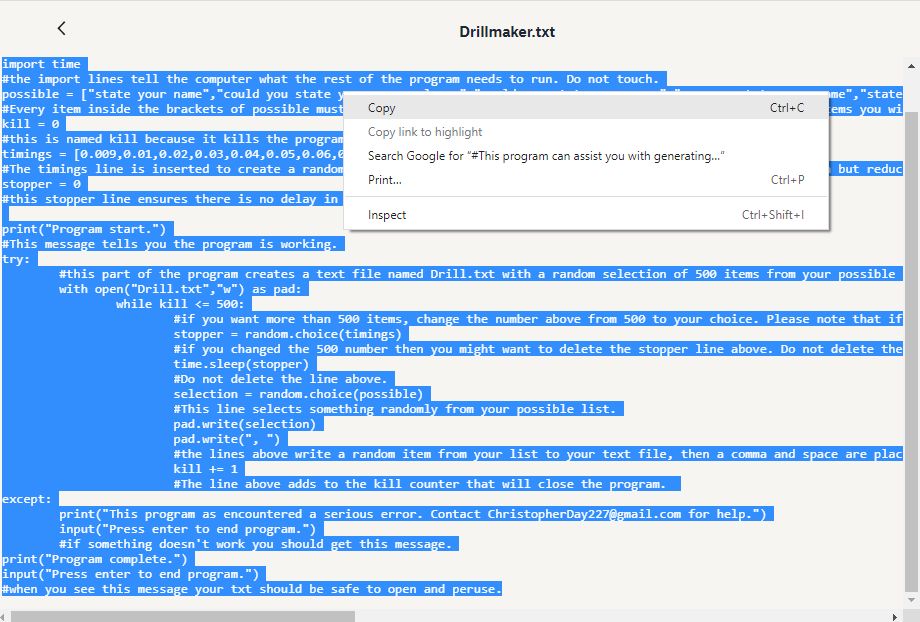
Copy it because I’m about to ask you to paste it.

Step 2:
Paste the code into this person’s website. Note that when you open the site, they have some code there already. Just paste right over that or even delete it.
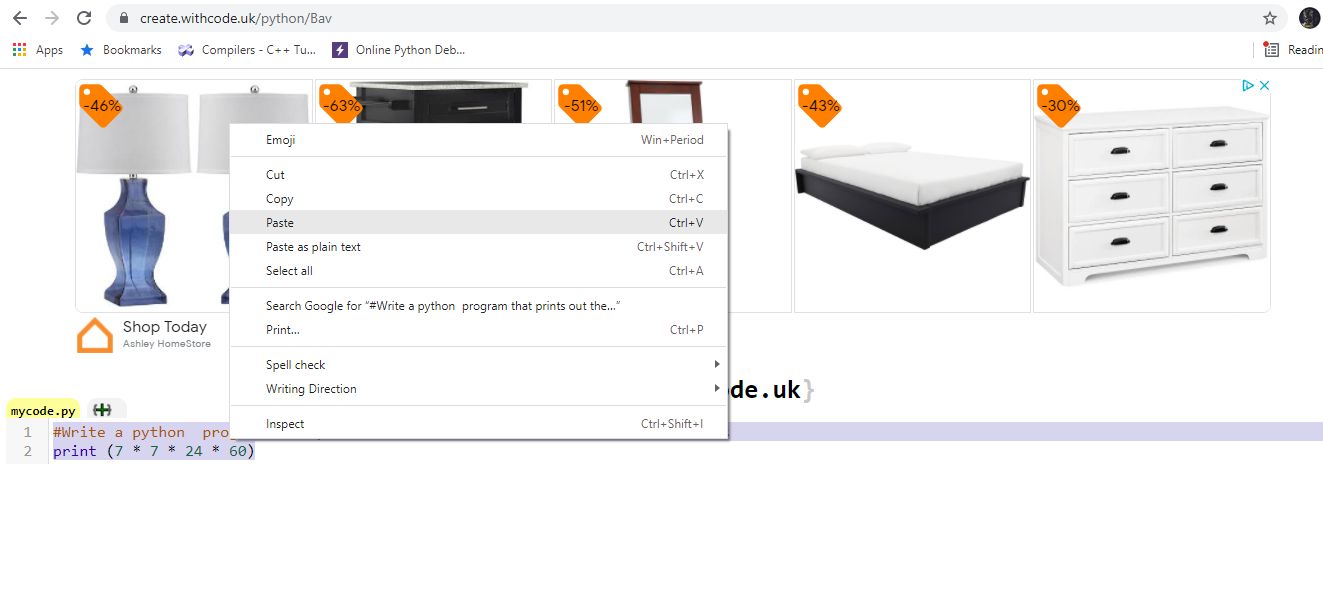
I am about to paste right over that code.

Step 3:
Once you have pasted the code in, go to line 5. There should be a line that says “possible.” Inside those brackets, you put whatever terms you want to show up in your drill. In order to make this work, every phrase or word you want must be surrounded by quotation marks and separated by commas. In the example below, I show what it would look like if you wanted to drill red, yellow, and green.
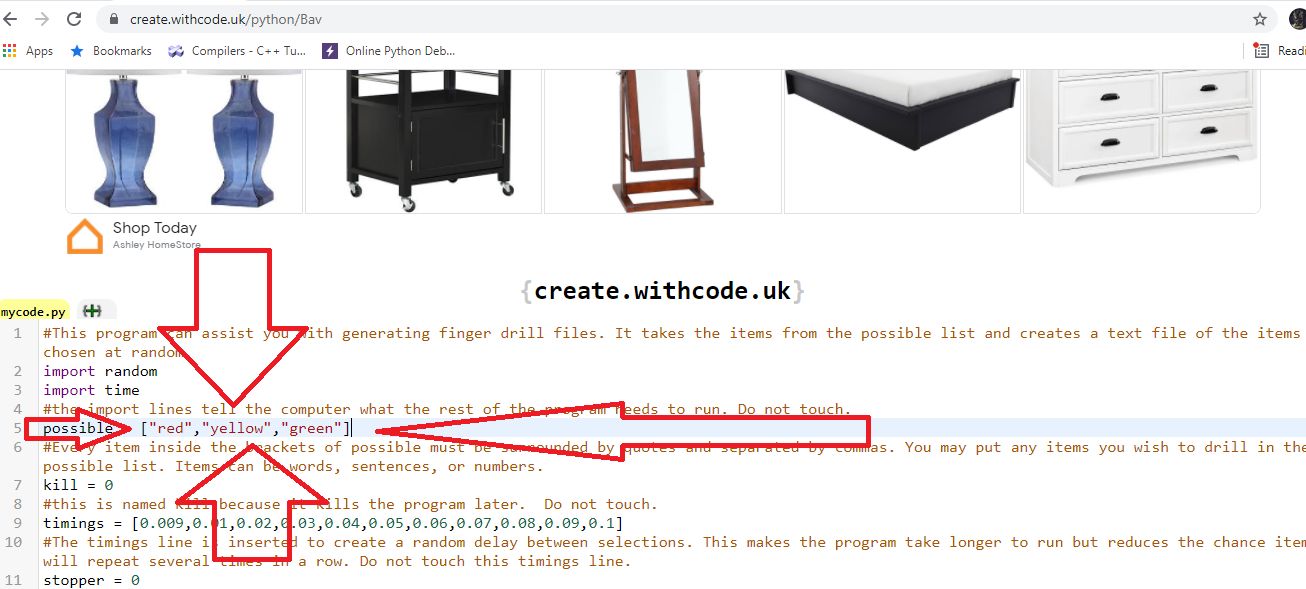
Put whatever words you want in there.

Step 4:
Once you have set up the words you want to appear in the drill, click the green “run code” button on the bottom right. A black box will pop up. If it says program start, the program is working. If it talks about an error, something went wrong. If it says program complete, it’s all done.
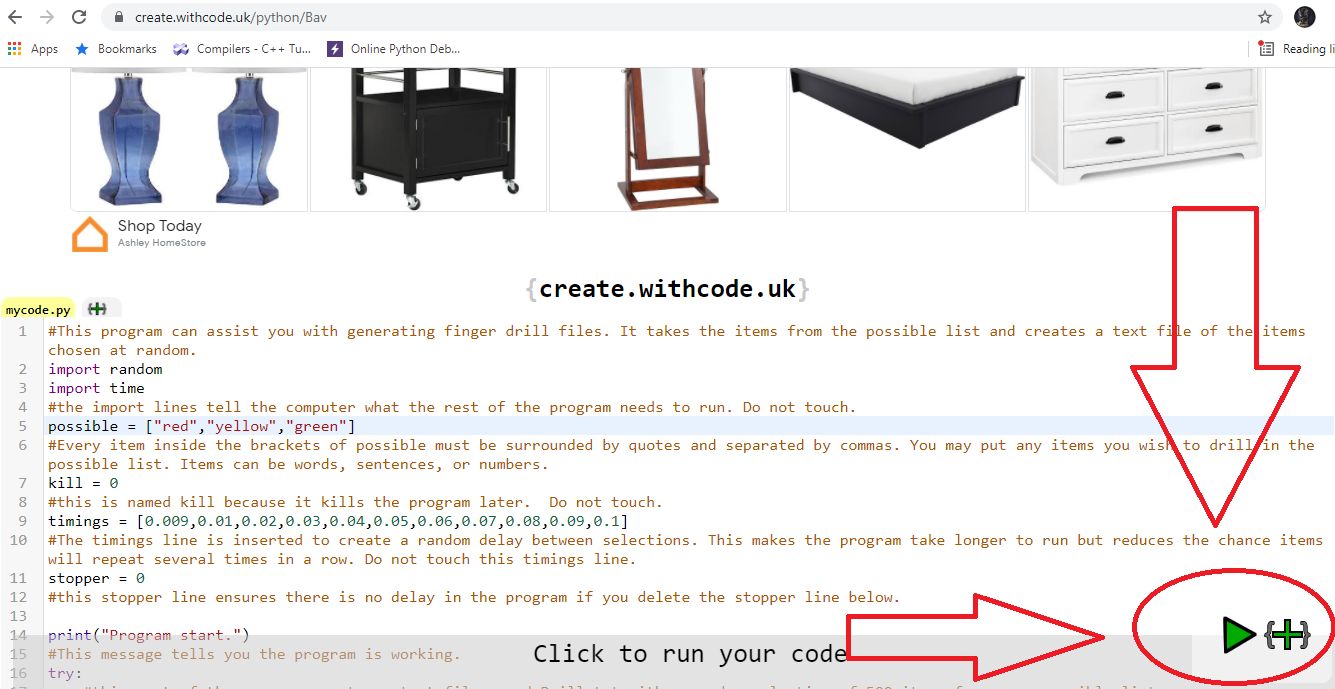
That’s the green run code button. It looks like a sideways green triangle.

Step 5:
After approximately one minute, the program will finish. You will have a file called Drill.txt on the left side of the screen. You can copy your drill into Todd Olivas’s slasher to help you mark it for dictation. If you need help dictating, see what I’ve written about that here.
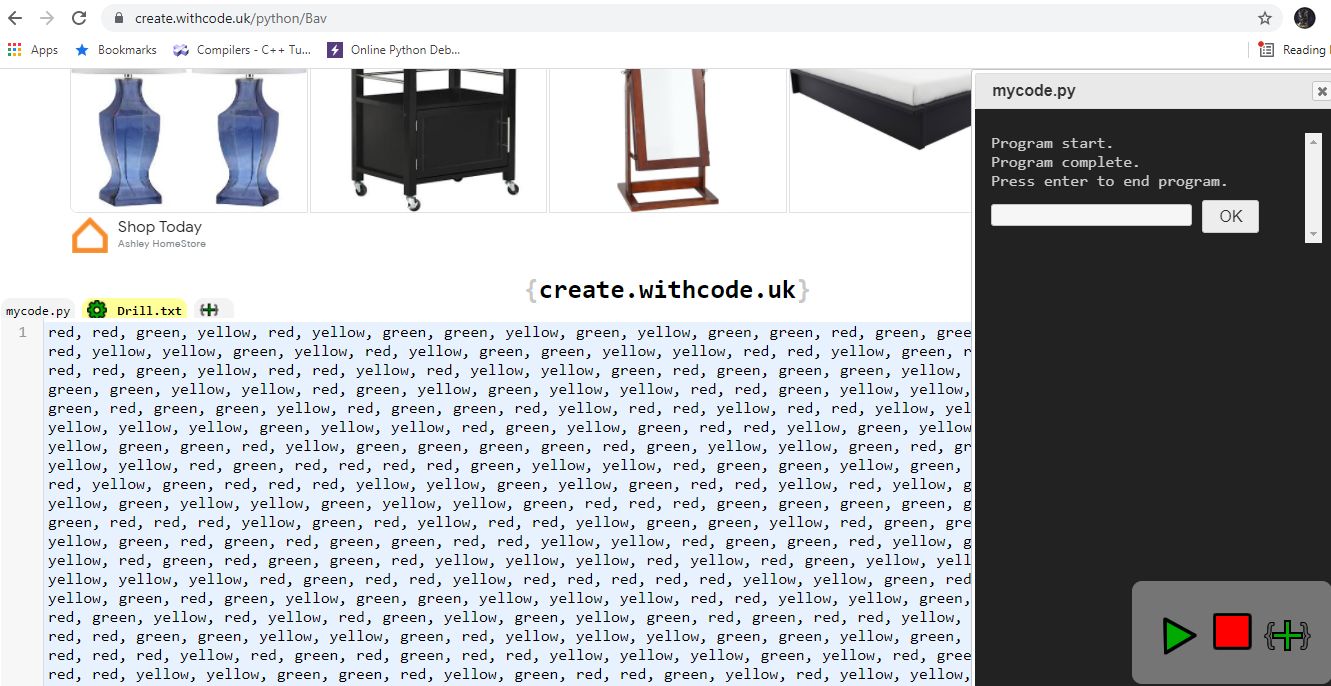
Remember, this works with any words you want, even if they’re from a George Carlin routine.

I know that this is not ideal, but it is a fast and easy way to get long lists of words without having to painstakingly write and copy them multiple times. I really hope it helps. Special thanks to the student that gave me the idea.

Addendum:
Shortly after releasing this post I changed the code and Dropbox link to a much faster version of the program. It avoids repeating the same word twice and works in one second instead of fifty. The only drawback is that if you only put one item in your word list, the program will run forever without giving you an error message. Please put at least two items in the list.

Additionally, after sharing what I was working on with the Open Steno community, Joshua Grams created an HTML file that is much easier to use. Just download it and double click to open it in your browser. It does not randomize the words, but it does repeat whatever you type into it as many times as you ask it to.

Stenonymous Suite and Q&A Generator (Concept)

I have previously written about free computer programs I’ve created, like the transcript marker, finger drill generator, and written knowledge test randomizer. Please be aware they are all now programmed to be download and double click programs with no installation required on Windows. These are simple creations with an eye towards making the work that educators have to do to create material go down. As quick examples, the transcript marker, like Todd Olivas’s marker, can automatically mark very large dictations instantly for any speed. The finger drill generator can give you instant randomized text files of words, as well as create and load your own custom finger drill lists. The written knowledge test randomizer creates random written knowledge tests with a focus on helping people with the New York court test, which has portions dedicated to spelling, grammar, medical, legal, and technical terms.

So I had come to a very somber realization. I can continue to create these programs and leave them piecemeal on the blog, but that can make for a very confusing experience, and any time that I update them, I have to manually go in and fix all of the links that link back to them. So then it occurred to me, perhaps the best thing to do is to combine all of these simple programs into one master program that a person can run and use at will, and when I update, it can be seamlessly through that one program.

Truth be told, that’s the direction I’m headed with that, and there’s very little that’ll dissuade me there. That said, before I release such a thing, I am planning to add a new program to the mix. I want to design a Q&A Generator. One major issue we come into when designing dictation is that often stenographers are unwilling or obligated not to give up their transcripts. Another issue is that edited or otherwise fictionalized transcripts are protected by copyright as expressive matter, even though original verbatim transcripts are often without any protection. For example, if you create an awesome Q&A, I technically don’t have the rights to take that and republish it — and if I do, I am risking you taking action against me. Most of us aren’t that litigious, but the reality I find is that there’s always “that person.”

That’s where this new program can come in. I think I can create a computer program that will randomly choose traits of different people involved in the case, or descriptions of items or witnesses, and then create a narrative around that. Think about your average 5-minute take. Let’s assume that’s in the ballpark of 10 pages or 125 questions, 125 answers. Now imagine if every time you run the program, it might say something different. Is it a car accident? Maybe the vehicle was a Honda, a Toyota, A Buick? Maybe the light was red, or yellow, or green. Maybe the witness was hit in the front or the back of the vehicle. You may be able to picture it in your mind: If there are 250 random lines, and every line has a few different things it could be every time, you’re looking at potentially millions of variations of Q&A. How many dictations, realistically, does a student need to become a stenographer? Is it 10,000? 20,000? 30,000? This is the opportunity to create random dictation at every educator and student’s fingertips, and enough of it that one would never run out of material. The only work that’ll be left to do is the marking and voicing of the dictation.

Succinctly, I always look for feedback from my stenographer, educator, and anonymous friends. I am interested in hearing what you have to say, things that you’ve done in the past to challenge students, or things that you would insert into a good Q&A or think is useful in this endeavor. So as I quietly continue this work behind the scenes, I encourage you to reach out with your thoughts to me at ChristopherDay227@gmail.com.

Thank you, as always, to the hundreds of readers that come through every month. Your participation in the field, awareness, and willingness to be in the picture makes all the difference. So many around the country are taking part in serious initiatives, educating the legal field and its leaders about stenography, seizing moments to come together and educate students and fellow reporters, reinforcing the field through projects like NCRA STRONG, and generally standing up for your fellow professionals. It’s the combined efforts of everyone, from dedicated blogs like Cheap & Sleazy to Steno Stars like Rich Germosen or Matt Moss that’ll make sure that stenography remains the preferred modality for taking the record, and that stenographers continue to be the premier choice for the legal community in taking down proceedings. Between the leaders leading and the workers making this skill shine every day, we have all but guaranteed a bright future for steno, and can make steps to recover lost ground in the industry. It is impossible to properly thank everyone at work in preserving this field, but know that its continued vibrancy is because of you.

Finger Drill Generator

ATTENTION WINDOWS USERS: Click and play version here. NO INSTALLATION REQUIRED. Download the .zip, unzip it, and double click the .exe.

After a bit of reflection on the best way to handle this, I’ve written a free computer program to help create finger or word drills for students and educators. The program has about 10 preset lists and allows you to create and load your own custom finger drills.

The video tutorial is here.

If you hate computers, I created about 10 drills using this program and I share them here.

For a quick text tutorial:

  1. Download and install Python 3.
  2. Get the program text at this location or this location. Copy and paste it into a notepad file.
  3. Save the notepad file, preferably in its own folder by itself.
  4. The program should say something like name.txt. If you don’t see the .txt, you need to look up how to show hidden file extensions.
  5. Change that .txt to a .py. Double left click and the program will launch.
  6. The black box will give you a series of 13 numbers and their corresponding “drill list.” You can enter the number of the category you want, or create your own custom list. At this time, custom lists only work properly if you use single words.
  7. Once you’ve chosen a category or created a list, you choose the wpm and number of minutes. The program will then create a text file by multiplying wpm * minutes. AKA, 225 wpm * 10 minutes is like 2,000 words. If you enter a very large number here, it may cause problems, like a computer freeze.  I would not advise entering more than 300 wpm for more than 300 minutes (90,000 words). As a matter of fact, do not do it.
  8. Having a finger drill by itself is useless. You can use my transcript marker or Todd Olivas’s slasher to automatically mark the program for speed dictation.

Educators and students, if you have not already, feel free to check out the transcript marker and written knowledge test randomizer.