Telling grown professionals what to do and how to conduct themselves online is generally not in my business plan. But I know that some of us are not 100 percent caught up with techy stuff, and I feel obligated to write this one.
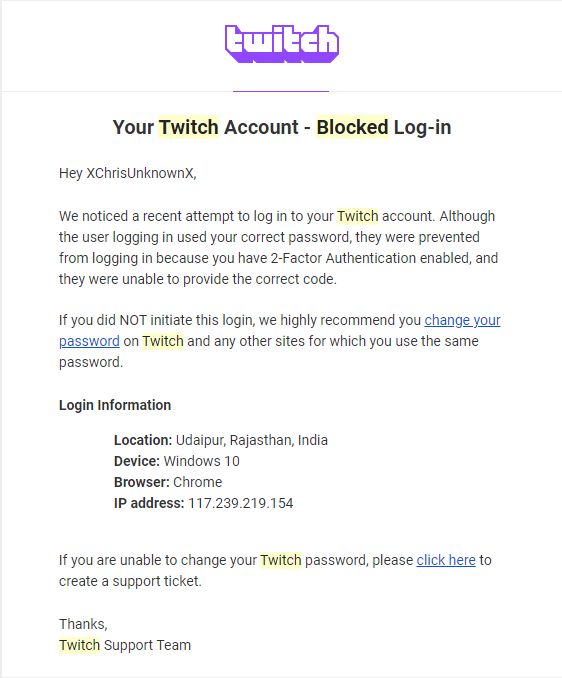
2FA is a creative shortening of “two-factor authentication.” You may also hear it referred to as multi-factor authentication. No matter who you are, you’ve probably heard these words. Maybe you looked into it and you know exactly what I’m talking about. Maybe it looked too complicated and you said “not for me, thanks.” Whatever the case, I can show you in one image why you need two-factor authentication.
I can assure you, I was not attempting to log into Twitch from India. Also, XChrisUnknownX was a really creative moniker for a 12 year old.
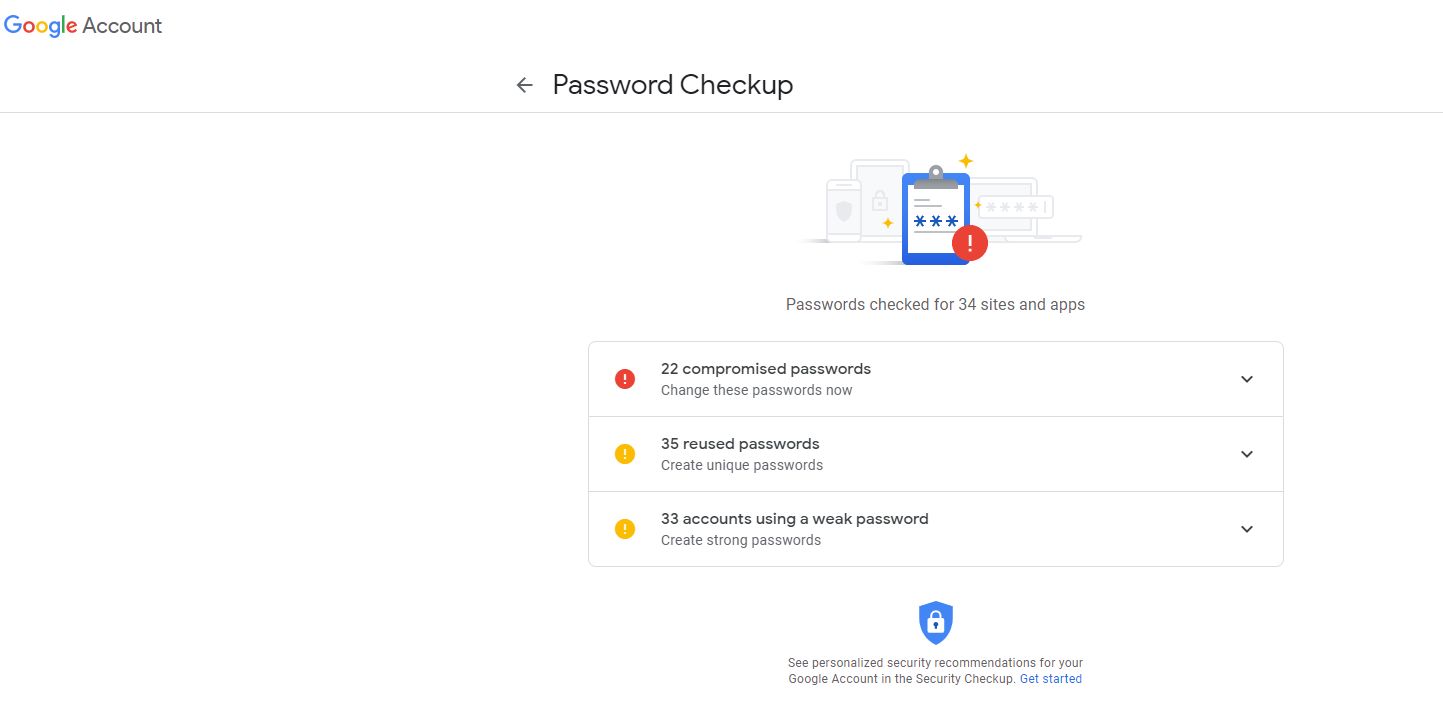
We’re in a hacker’s world now. Hackers will get your passwords. It’s not a matter of if, it’s a matter of when. As a matter of fact, Google now has this handy feature to show you how compromised your passwords are. Want to guess how many times hackers have gotten their hands on my password?
Excuse me! StenoIsK00L is not a weak password!
In its early days, even this blog got hacked into! 2FA prevents that every day. 2FA, at its core, means you sign in with your password, and then the service you’re logging into sends you a numeric password via text message or it sends a numeric code to an authenticator app on your phone. This numeric code changes every minute or so, so somebody who wants to log into your stuff without your permission needs to get your username, password, and be tapped into your phone OR have physical possession of your phone. It doesn’t matter if they’re trying to hack in from India, China, Beirut, or next door, they’re not getting in without very substantial access to your personal life.
PRO TIP WHERE APPLICABLE: Put 2FA for your e-mail, link that to your phone, then use 2FA and link everything else to your e-mail. The result? Every time someone tries to hack you, you get an e-mail about it.
There is one major exception to this, and the most common way that you will be hacked using 2FA: You. Hackers and scammers may send you a site by e-mail that looks legitimate. If you go to log in, they will record your login details, and they will record the numeric code that’s sent from your authenticator if you give it to them. Always double check that you’re logging into the correct site, because if you don’t, you’re going to end up giving away valuable information to people that don’t deserve to have it. So, for example, let’s say you get an e-mail saying it’s from Chase Bank. They’re going to close your account unless you act now. Don’t click anything in that e-mail. Go to your browser and type in the Chase website that you know and love. Scammers and hackers design stuff to make you feel rushed and fearful because that’s when you’re least likely to think about a minor decision like logging into a site. Any time you’re feeling rushed or fearful, take some extra time to think before you act.
That’s really it. I have countless old accounts and usernames that I opened as a kid, before the age of 2FA, and they’ve all pretty much been taken over by bots and spammers. Given the importance of our work and the transcripts we produce, we can’t afford to let our clients down and let the bad guys seize information. 2FA for most services is free. Google Authenticator is free. “Free” is a great price for peace of mind, so check if the services you use have 2FA today.
“We are committed to our entire network of independent contractors, including the stenographic reporting community, as they provide an integral and necessary service to our legal system,” states Tony Donofrio, CTO of Veritext. “Technology has become an integral part of practicing law today, and while it will not take the place of the stenographer, it will continue to evolve to provide the profession with a broader toolset to aid them in their commitment to transcribing the spoken word efficiently.” – passed to me by Senior Vice President Valerie Berger on February 4, 2021. Again, these are the words of Veritext’s CTO, Tony Donofrio.
How’d we get here? Not long ago, I was performing some research on where students could find scholarships and grants. It wasn’t long until I came across the Veritext Scholarships page. It struck me as odd that I had gotten eight LinkedIn notices for the company looking for digitals in my area, but not a single one for stenographic reporters. I did what many of my readers do. I kept an open mind. I reached out, and I asked, in spirit “why bother with scholarships for stenographic reporting if you’re going to press so hard on digital reporting?” I had an e-mail exchange with Ms. Berger where I shared many of the things I’ve reported on in the past and seen in the media recently. I got to explain that to many reporters, this kind of stuff comes off kind of like business “stashing,” a term I borrowed from the dating world where a partner says they love and support you in private, but doesn’t do a lot to broadcast that relationship, usually to maintain a relationship with another partner.
The message I got back, in sum and substance, was that Veritext supports all of its independent contractors. They said they find their own network a better way of finding stenographic talent than LinkedIn. Ms. Berger told me that Veritext provides more work to stenographers than any other firm in the country, and took the time to link me to some things that Veritext is doing or has done to support the stenographic community:
The Veritext Peer Advisory Council (VPAC) and its mission to mentor students and individuals considering a steno career in North America in addition to collaborating with Veritext on education for the stenographic community. VPAC also has a student resource center, where the advice column has scores of reporters saying what I often tell students, “find a mentor!” As a matter of fact, there is an old quote from me right on that advice column, “know your market and seek many mentors.”
I was positively surprised by a lot of what I saw. Our lives and careers are so busy. It can be hard to keep track of all the information out there, and though I was tangentially aware of some of these endeavors, a lot of it was news to me. Let this mark the first time that I have seen such a definitive statement from Veritext. Technology will never replace stenographers. I’ve alluded to that. Many industry leaders have said that. Now Veritext, through its CTO, says that. This is serious vindication for all the times we’ve pressed to correct the news media. This is truth that can be brought to the media’s attention by any one of us for years to come. What better time for such a declaration than CRCW 2021?
What I need from readers is a commitment to keep sharing information and supporting stenography. There are so many programs that have opened up to beat the shortage and for stenographic court reporters to meet the demands of the legal field. There’s so much media about such a small field that it becomes impossible for one man to keep track of. As we march through the year, please feel empowered to send me things that support this article, contradict it, highlight the work of other agencies big or small, or give a totally different point of view on a totally different topic. We’ll keep building information and work to keep the public record accurate, and court reporting will carry on as the fantastic career it has always been.
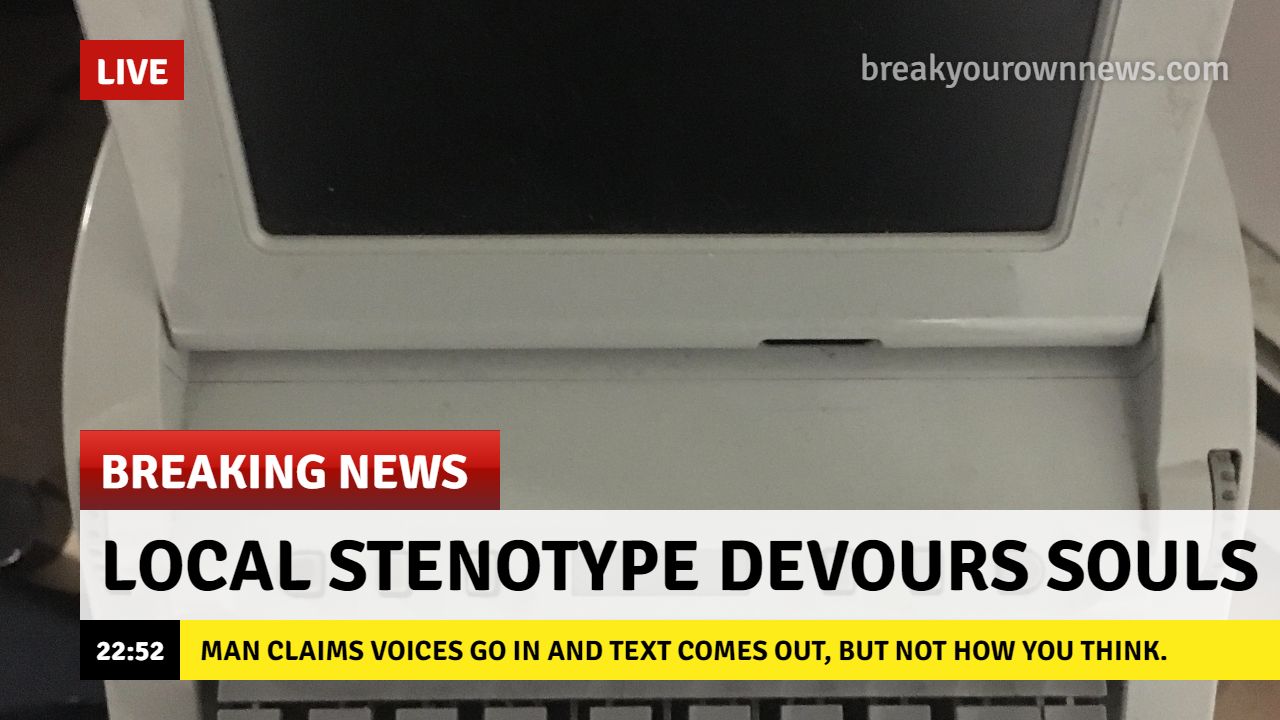
There are a lot of professionals in this field who will laugh at the notion that freelancers can be entitled to employee benefits. “Of course we’re not eligible for Workers Compensation! We’re independent contractors!” The idea does seem as preposterous and fanciful as a soul-devouring stenotype.
Souls purchased separately.
To give a brief overview, in New York, to avoid clogging the court system with employee accident cases, Workers Compensation coverage allows employees injured on the job to apply for benefits to cover their medical expenses and/or wages. To many, this would be where the discussion ends. If you’re not an employee, you can’t get benefits. But when we look into exactly what constitutes an employee, and the way this actually works, we find that the answer is more likely “it depends.” Administrative and judicial judges will look at several factors to determine whether someone is an “employee” or an “independent contractor” under the law, and how the “hiring entity” and the “hired entity” classify the relationship is not a major factor listed on their website.
The right to control. Does the hiring entity or employer control the manner in which the work is done? In stenographic freelance circles, and particularly in New York, this can be a mixed bag. They might ask you to use a specific layout, arrive at a specific time, or even bring snacks to a depo. There are varying degrees of control, and if your agency is exercising a lot of control over you, you just might be an employee.
Text from the WCB site.
2. Character of work. If the primary work performed by the hiring entity is performed by the hired entity, that means the hired entity is an employee. Again, this is something you can probably argue both ways in stenographic circles. You can easily make the claim that court reporting agencies are in the business of providing court reporting services and therefore we should be employees. You can also make the argument that court reporting corporations are not in the business of court reporting, but rather acquiring court reporting professionals for lawyers. Just to note, US Legal tried that in an Unfair Competition case in California during the Holly Moose case. It argued that it was not a shorthand reporting corporation. Justice Elia rejected that, stating “such circular reasoning reasoning to evade…” [this state’s laws] “…is, at a minimum, unpersuasive.” Who can say what a judge in New York might say when applying the facts of a case to New York law?
Text from the WCB site.
3. Method of payment. The important bit here is that whether you receive a 1099 or W2 does not matter in determining an employee/employer relationship. Whether you receive regular payments or whether you are paid for a task as a whole is a deciding factor. Again, it can easily be argued either way dependent on the facts of a freelancer’s “employment,” are they taking jobs regularly and getting regular payments? Are they hired for a one-off assignment?
Text from the WCB site.
4. Furnishing equipment. The vast majority of us maintain our own equipment, and if a workers comp claim were ever made against an agency, I imagine the first thing they would do is bring out that fact. But there are other things to consider. Does the agency supply you with business cards or other materials that you’re supposed to hand out? Some do, some don’t, and that makes this a factor worth considering.
Text from WCB.
5. Right to hire/fire. This relates to the right to hire and fire who’s doing the work. For example, when an agency contracts you, a true independent contractor would have full authority to contract that out to someone else. In my time freelancing, I saw worksheets that forbade such behavior. Ultimately, the right to hire and fire is dominated by the agencies, and this makes a good case, on this factor, for reporters as employees.
Text from WCB.
6. Postmates Decision. Court reporters were doing the gig economy before it was popular. Now many states are grappling with how to treat these cases where someone may be called an independent contractor but meets all the definitions of a common law employee. In New York, we had the Postmates decision. That looked at several of these factors including the character of the work, right to control, and the method of payment. Another thing looked at was who controlled the customer and whether the independent contractor was able to go out and build his own customer base. This is something that court reporters are split on. Many of us have our own clients and many of us work exclusively through agencies. The Postmates decision gives us a look at how administrative judges and appellate courts might look at these kinds of issues in New York. If you don’t have any control or interaction with the client beyond the work you’re doing, a court could look at that and say “employee.”
Taking in all the factors above, as intelligent people not trained in law, we can see how we might argue it both ways. We can see that it’s very clear that the law doesn’t care much how the employer and employee classify the relationship. We can see what’s happened in this state and other states, and we can come to an interesting conclusion. Can freelancers claim Workers Comp benefits? It depends. Can the claimant show that they meet the definitions of a common law employee? I can’t answer that for you. But I can say that if you’re someone who’s injured on the job and meets these eligibility factors, it may just be worth consulting an attorney to give you real advice on your specific situation and the facts of your specific case. Independent contractors, on the other hand, generally may, but are not required to, purchase Workers Compensation insurance. This can be done to guard against medical bills or fulfill the terms of a contract.
Finally, as someone who briefly owned a corporation, I can tell agency owners to make sure you have a rider or option on your Workers Compensation insurance that covers you if an independent contractor claims they’re an employee. You don’t want to end up in a situation where you have a misclassified employee without coverage. It can constitute a crime to fail to follow our Workers Comp law. You can try searching other reporting firms and see what insurer they use. You can also engage with NYSIF to see if they offer a better rate than your current provider. Whatever you do, just be aware that this is a possibility, and the more your freelancers fit into those eligibility factors, the more this could end up a problem for you. I don’t want a problem for you. Chances are good an injured reporter doesn’t want a problem for you. But if somebody’s hurt, can’t work, and the medical bills are piling up, chances are good they’re going to take whatever avenue they’ve got to take to survive. The least we can do is keep this open for discussion.
I may not be on the west coast, but I know some fantastic west coast reporters.
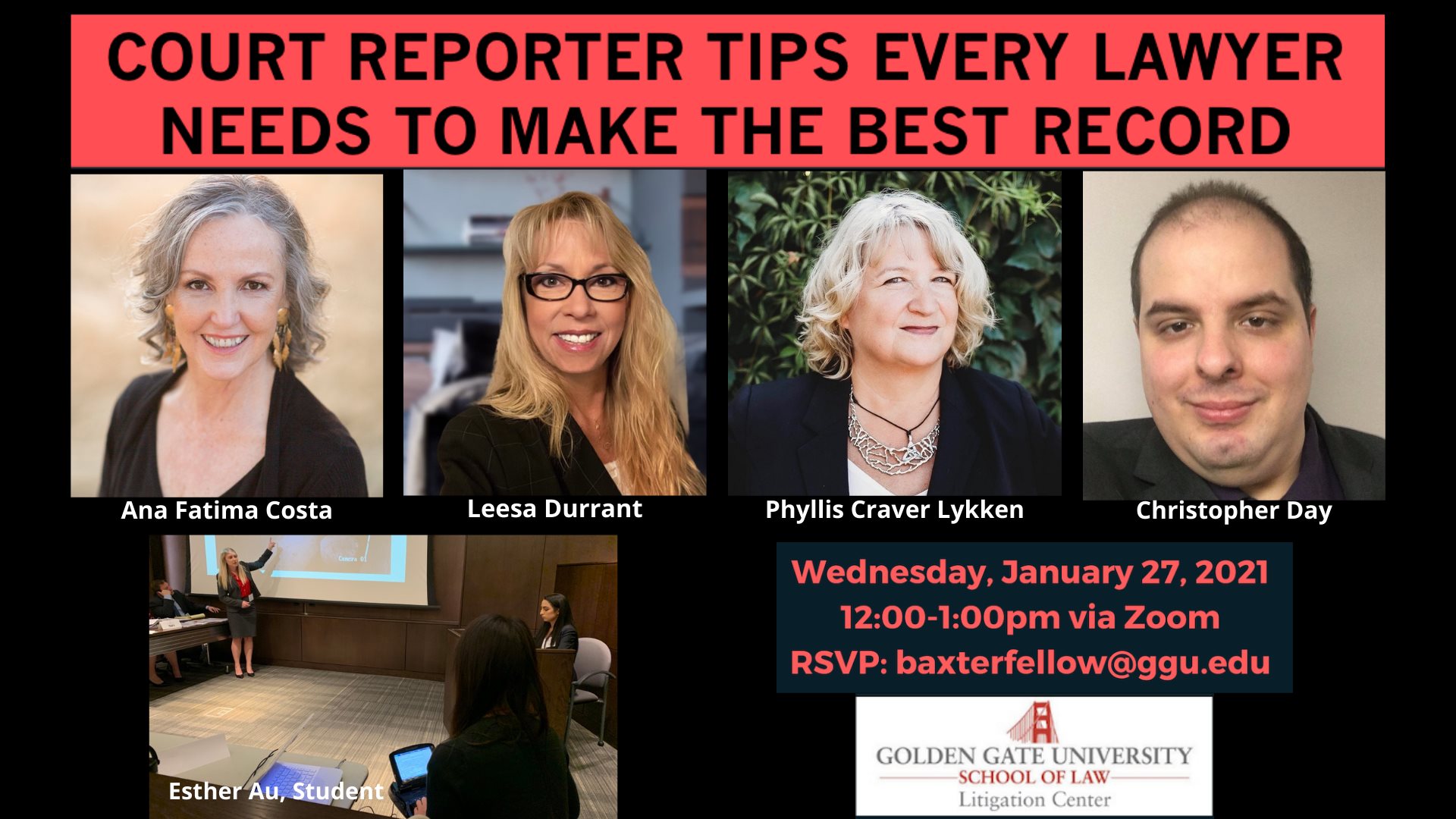
I was invited by Ana Fatima Costa to participate in Golden Gate University’s Court Reporter Tips Every Lawyer Needs To Make The BEST Record. Ana has dedicated a great deal of time to presentations, coaching students, running internship programs. As reporters, we sometimes struggle to make connections with the bench and/or bar. Ana’s great at making those connections and definitely one of the people you want to talk to if you’re interested in bridging the gap between reporters and the bar.
We spent an hour introducing young attorneys and some reporters to core concepts such as speaking one at a time, requiring a stenographic reporter, and how providing case-specific information can assist a reporter in producing their record. Luckily for me, nearly all the heavy lifting was done by the three other panelists and experts in our field, Ana Fatima Costa, Phyllis Craver Lykken, and Leesa Durrant. Ana whipped up great presentation slides and held the whole presentation down. Phyllis talked to them a little bit about realtime conceptually. Leesa drove it all home with a realtime demonstration. It was a fantastic thing for me to be a part of, and I’m grateful I was invited to be a part of it. I’m also grateful to Professor Rachel Brockl and her team, who worked with Ana to make the event a reality. For anyone who’s curious, at some point it should be up on GGU’s Youtube.
My real takeaway is that there is so much potential for our little field to make a big impact on how we are viewed not only by the public, but also by courts, judges, and lawyers. There are thousands of reporters, which means any reporter taking just a few hours of their time per year to make a speech or presentation has incredible cumulative value. The people that we work with every day are the people who wrote to us after this presentation and said “this information really helped me understand how to help court reporters do their job.” Imagine four professionals getting to sit on camera and talk about what we know and love. You can probably imagine yourself doing it, and I hope that writing about this inspires folks to stand up and say “I can do that!” We need you. I need you so that I can stop doing presentations and go back to blogging about your presentations. And if you’re not ready, that’s okay too. But I say seek us out. Seek out any of the court reporters that put out content regularly. We want to help. We want others to meet their potential and develop skills beyond our wonderful skill of reporting.
Addendum:
The presentation may now be viewed here. The first five minutes went unrecorded due to a technical glitch.
Commercial leasing, by itself, is not a scam. The idea behind commercial equipment leasing is that you are leasing or renting computer or electronic equipment from a company for a specified time. Some agreements then contain provisions for you to buy the equipment or return it to the company you are leasing from. That said, contract law is pretty serious in the United States and you will generally be expected to abide by the terms of the contract that you sign with a provider or seller if a matter goes to court. This means you have to be absolutely sure you want to be a part of the agreement you’re signing.
Why beware? A few simple reasons:
Complexity. The likelihood that you need a company to help you pick out equipment is low, and the cost of computer equipment for court reporting is low enough that you can probably figure out a way to buy the equipment outright or cheaper using revolving or personal credit. It does not make sense to have a complex contractual agreement for equipment unless there is something generous you are getting from the contract such as generous tech support provisions, replacement parts, or free repairs/replacements. If you can walk into a store and get it, caveat emptor. If you are entering an agreement for someone else to get it for you, be just as careful.
Third-party bait and switch. Some sellers will say they are helping you pick out the right equipment for you. This can be very tempting because not everyone in our field is comfortable buying computers without advice. So you could be talking to your software manufacturer, who refers you to their “computer specialists,” who are actually a third-party commercial leasing company. So one minute you’re talking about buying a computer, the next minute you’re signing a commercial leasing agreement, and if you’re not careful, your signature could end up on an agreement that you don’t fully understand. This is totally legitimate, legal business, but it could cost a reporter a lot of money unnecessarily.
Predatory practices. Beyond the third-party bait and switch, there are general equipment leasing “tricks” that can end up costing consumers. Evergreen clauses are one example of this, where the buyer has the option to buy the equipment, but the seller is allowed to extend the agreement if the buyer does not notify them of their intent to buy the equipment. There are also instances where sellers attempt to alter the text of the contract just before it is signed. If you see a company employing predatory practices or attempting to confuse you, it may be a good idea to avoid doing business with them altogether.
Protect yourself and your wallet. Always make sure you read, understand, and retain a copy of what you sign or agree to. If you are having trouble understanding the terms of a contract, it may pay to have a lawyer review the contract with you, because monthly payments, fees, or penalties in an agreement can quickly snowball to be several times the cost of the computer equipment you’re leasing — and it’s mostly legal.
If you want to learn about parts for a new system, read the beginning. If you want to troubleshoot your current system, scroll down to “But I want to troubleshoot on my current system.”
TLDR: RAM is extremely important for our work.
Windows users, in today’s world of remote reporting and computing confusion it can help a little bit to have a simple guide on what you’re looking at when you’re buying a computer. If you’ve got a system you’re comfortable with, this one is NOT FOR YOU. For everybody else, let’s break things down into simple. If you’ve got a friend who has trouble with computers, this might help them with their shopping choices.
When you go to buy a computer, you’ll probably end up on a screen like this:
And then you’re probably going to end up clicking one of these and ending up on a screen like this. Remember, when buying a computer, the specifications tab is YOUR FRIEND.
In this particular listing, we luck out, because a lot of the specifications are also posted right at the top. Sometimes this is not the case. In this particular listing, we are also allowed to customize our specifications (specs) a little bit. Please note, this is being given as an example and not an endorsement of any site, product, or company. One of the first things you want to answer: Does the operating system fit the programs I want on the computer? This can include things like your printer. As an example, if a printer has been made to work specifically with Windows and has no Chrome driver, it might be extremely difficult or impossible to make it work with Chrome. In computers, a driver is computer code or software that helps the computer know what to do with hardware. Software is the code, apps, and programs on your computer. Hardware is the physical equipment. This is why you need to install the driver for your steno machine every time you get a new system. The driver is software teaching the computer what to do with the steno machine’s stuff. Some examples: Your steno machine is hardware. Your mouse is hardware. Your keyboard is hardware. Your operating system is software.
For figuring out whether a computer is going to work with the program you want, you should always pull up the program’s minimum specifications. Let’s pull up the minimum specifications for CaseCAT in this example. In this image are a bunch of red arrows and red text. I’m going to repeat everything below the image for easier reading.
Operating System. Also called OS. This is the foundation of the computer and what everything else is running from or on. Some common operating systems are Windows, Linux, Mac, and Chrome. Most stenographic tech is made to run off of Windows. It is possible to partition computers and run two operating systems, but we’re here to keep it simple.
Processor. Also called CPU. How fast your computer figures out stuff. We’re taking down words and that doesn’t require very fast processing speeds normally. If you’re concerned about processing speeds, get a “dual core.” This allows the computer to process multiple things at once. Note that Zoom’s minimum requirement is a dual core 2 GHZ requirement. If you want to run Zoom and stenographic tech on the same system, you probably want a dual core processor with more than 2 GHZ or a quad core processor.
RAM, also referred to as memory. Random Access Memory. This is where the computer stores information about programs you have open. This should not be confused with hard drive “memory.” It is always a smaller number like 2GB, 4GB, 8 GB, or 16 GB. If your computer is freezing, it’s probably because it’s out of RAM! Note that the minimum for Zoom is 4 GB, so if you want to run stenographic tech and Zoom on the same system, you probably want 8GB or 16 GB of RAM.
Hard Drive, sometimes referred to as memory. Almost always a big number like 256 GB, 512 GB, or 1 TB (~1000GB). This is how much stuff your computer can save. Many people believe that having too much stuff saved on the computer slows it down. This is usually not true. People get confused between hard drive memory and RAM memory. Most of the time your computer is slow because it’s having RAM issues. If the hard drive is almost completely full and you continue trying to save things, you might lose data. Try not to let your hard drive get completely full. Please note that despite all I just wrote, hard drives inside the computer (connected by something called SATA, SSD, etc.) are always faster than hard drives that are plugged in by USB. Programs you run often or files you open often should be installed on the hard drive inside your computer and not a USB hard drive or flash drive.
Video Card. Often referred to as GPU or graphics processing unit. Stenographic tech works on very old video cards. This is probably low on your priority list. Same for audio and your monitor. If you intend to use a computer for gaming or rendering graphics, you want a good video card.
When you’re looking at getting a new system, your biggest considerations are the operating system, the RAM, and the hard drive space. If you are going to be using the computer to run Zoom, you also want to check those minimum requirements. If you are going to be running Zoom and your stenographic software on the same computer, you want to be better than minimum requirements.
To wrap things up, this $399 desktop computer in this example appears to be a great work computer. Correct operating system, 8 GB RAM, good processor, lots of hard drive space. When you buy a laptop it’s often more expensive because you’re paying for the convenience of mobility. If you are looking for value and do most of your work from one location a desktop is usually superior value; you will often get better computer parts for a lower price as compared to a laptop. Be cautious with regard to netbooks. Some of them have very low RAM or processing power, and may or may not be suitable for our work.
My personal feelings? Brand hardly matters. It’s all about those numbers. You want lots of RAM and a dual or quad core processor.
“But I want to troubleshoot problems on my current system.“
I’ve got something for you. In Windows there are a few ways to check what’s going on in your computer. You can pull your system information by using your search bar. Using everything we just talked about, let’s see if we can identify the important parts.
Remember, Operating System, Processor, RAM. By knowing what system you’re running on today, you can figure out where your problem is. This computer has 32 GB of RAM. That means I can have a lot of stuff open before it freezes on me. If you’re having freezing problems, what can you do?
First, open your task manager. You can do this by using CTRL + ALT + DELETE and opening the task manager, or going to “run” and opening taskmgr.
CTRL ALT DELETE:
RUN TASKMGR:
Whatever you do, you end up at a screen that looks kind of like this:
This screen is very important because it can tell you what is taking up all your RAM or Memory. Remember, this computer is running 32 GB RAM and 20 percent of it is in use while I’m working on Microsoft Teams without CaseCAT open. That’s almost 7 GB of RAM. If I had an 8 GB RAM computer, it would be incredibly close to freezing!
What can we learn from this? If you are working and you have Chrome or an internet browser open, you might be using RAM that your computer needs to run CaseCAT, Zoom, etc.
Facebooking taking up your RAM? Right click and end task!Don’t let online shopping bust your zepo/depo/court/CART/comp!
Final note. Computers, printers, and other devices generally work by running electricity through the parts on and off to produce the result we want. If you are having a problem with your computer or another device and cannot figure out the reason, power it down completely. Unplug it if you have to. Sometimes these electrical charges get caught in a “bad loop” and cause glitches or errors that simply cannot be troubleshooted. When you power down your device, you stop the electricity running through it, and break the “bad loop.” This is why the first line of tech support is always “did you try turning it off and then on again?”
Nobody is born knowing about computers, so if you don’t know something, ask. It’s a lot better than buying something that doesn’t work for you.
PS. Stenonymous runs ad free to keep your reading experience pleasurable. If you find the articles here helpful or informational, please consider donating. With over 8,000 visitors and 13,000 views a year, this site could run ad free for over a decade if everyone contributed just one dollar. I could also afford more ad campaigns for articles and/or hire guest writers and investigators for better article quality. If you don’t want to donate to my blog, then at least shoot over some suggestions for my Resource Page. You can contact me at Chris@Stenonymous.com, assuming I didn’t break that again. If you haven’t been to my resource page, check it out. It’s one of the few ways I have of platforming others’ work.
There’s been a great deal of marketing and many press releases about “disruptive” technology in my field. I’ve been a stenographic court reporter for a decade. I’ve worked right next to reporters who have been working for three or four decades. All of us concede that technology, on average, is getting better. Computers today can do things that few could have imagined in 1970. Computer programs used to be written on punch cards. Try inserting one of those into your iPhone. It’s no wonder that when people see some of the older stenotypes, they ask where the punch card goes.
You write on a stenotype but type on a typewriter. Can’t explain that!
Of course there’s no punch card. But we end up getting a pretty bad rep because the keyboard layout we use is a hundred years old. It’s easy to look at that and forget there’s a whole arsenal of technology attached to that keyboard layout. By 1963 we were using magnetic tape for computer transcription. By 1987, our stenotypes were rocking floppy disks. Today’s stenotypes are so damn good you can read my notes off the screen without any special training.
You would be able to read the notes off the screen, if I ever took any.
There was no secret that there was a court reporter shortage coming. Our field first learned this shortage was coming towards us in 2013. By 2019, the entire country knew there was a shortage. There is a court reporter association in almost every state, a National Court Reporters Association, and myriad nonprofits and other initiatives aimed at solving the shortage. Since 2013, we’ve seen things like Open Steno, A to Z, and Project Steno all aimed at meeting the demand for stenographers in their own way.
With even a gentle push from the larger corporations in our field, things would have been fine. But we started to see some strange moves in our industry by some companies. Some companies started to ask law offices to change their deposition notices to allow for audio recording. Some companies started saying that reporters were unavailable even when we were all sitting at home on social media chatting away with each other. Some companies started completely fabricating news, saying things like “…this world hasn’t been digitized…” Some companies say AI is making things better even though AI only gets 65 to 80 percent of what’s being said. Some companies started to push “digital” court reporters. Digital reporters, while they are nice people, are just recording your deposition and taking some notes. They are being used by those companies as part of the record and transcribe method. These companies are literally taking people who could fill the stenographic reporter gap and telling them “no, do this instead, it’s newer.” They don’t bother to tell them that stenographic reporting utilized the record-and-transcribe method several decades ago with Dictaphone technology and has since evolved to be far more efficient. Stenography has been digital since before some of us were born.
Eventually, you have to ask yourself, “what’s the deal? If there’s is a shortage, why does Veritext, or Planet Depos, or US Legal advertise that they’re hiring digital court reporter positions in New York, but almost never a single ad for a stenographic reporter?” Well, reporting firms, like just about any other industry, make a good deal of their money being the broker for the buyer and seller. You buy our services, we sell them, and the court reporting companies make money by knowing how low we’ll go and how high you’ll go. I started out as a deposition reporter in 2010 and was offered $2.80 a page. Years later I learned that was almost the exact same rate given to reporters in the 1990s and far lower than the page rates that court reporters working in court got. Court reporting companies told me reporters were a dime a dozen and that law offices wouldn’t pay a penny more. Meanwhile, I was taking depositions where the attorneys were telling me how expensive our services were. On a deposition with a lot of copy sales, I wouldn’t be surprised if I was taking home 20 percent of the total invoice. That’s a lot of money to a company to market and print, bind, and mail a transcript that takes hours of reading, research, and transcription on my part.
Our entire profession is in a state of shock because we placed a great deal of trust in reporting firms to market our skills. This is similar to the trust you put in them to find you a qualified stenographic reporter. Yet we find ourselves compiling state databases, national databases, and nonprofit databases dedicated to helping you find stenographic reporters because some companies can’t be bothered to connect consumers with the service they want. They see the education culture that stenography has as a threat. They see it as an expense to do away with. What happens when you take a field with 60 nonprofits and dozens of schools dedicated to the welfare and training of court reporters and replace it with people that have no such support system? You get workers that are easier to intimidate and lowball in the long run. How do I know? It already happened when the Federation of Shorthand Reporters in New York collapsed. Worker pay stagnated while the invoices to attorneys skyrocketed; this is the same situation on a national scale.
What law offices need to know is that they alone decide what happens next in our industry. Ultimately, law offices set the demand. It’s you, the attorneys, office managers, paralegals, and secretaries. You can trust us to recruit enough to fill any shortage. You can trust us to adopt the latest technology. You can trust us to continue over a hundred years of tradition, value, and service by making sure your record is accurate and turned around quickly at the best cost. We have to trust you to demand a stenographic reporter every time so that steno schools can keep pumping out graduates and promising jobs. We have to trust you to look at claims that a stenographic reporter could not be provided with skepticism. We have to trust you to be smart consumers. We have to trust you to let your colleagues know what’s going on in our tiny industry. Don’t just do it so that I have a job in ten years. Do it for your clients. Do it for your consumers. I guarantee that if the demand for steno slips, you’re going to be looking at some crazy deposition bills and hearing some new excuse.
– – – – – – – – – – – – – – – – – – – – –
PS. This article comes after a great satire (image here) was done on this topic by a reporter under the alias DigitalByHumans. In that satire, posted to Craigslist, the writer describes a world where a company does this same sort of thing to attorneys, deciding to use “digital” attorneys, and goes on to note that the company makes a lot of customer comfort moves to hide the fact that they aren’t using actual attorneys. While my post here tries to focus on getting straight to the facts I know and the conclusions I draw, I really think that it was something special and illustrates the frustration a lot of us have on this topic. There are states where we are very heavily regulated and the regulating bodies have, through inaction or inability to enforce the law, allowed people to come in and record as “digital court reporters” without any regulation, whereas a stenographic court reporter doing pretty much the same thing would be fined or reprimanded. It’s not the digital reporters’ fault, it’s the companies’ fault, but until consumers and consumer protection agencies stand up and say “no,” the situation will continue.
This explanation used to be hosted on my Remote Swearing page. It is now hosted here on this page.
On or about March 19, 2020, the governor issued an Executive Order 202.7 allowing all notarial acts to be done over audio-video technology until April 18, 2020. In 2020, when the New York State Court Reporters Association sought guidance from the Department of State on oaths, the Department of State sent back the Executive Order. From this, I conclude that oaths falls under “all notarial acts.” If a notary is administering an oath under the Executive Order, they should probably follow all the guidelines under 202.7.
The governor announced that the state of emergency would end June 24, 2021. The Notarial Acts Executive Order, by my understanding, is no longer in place as of that date. Remote swearing in state cases may still be allowed under CPLR 3113(d). This page will no longer be updated.
We try to keep political stuff from being published here unless it’s educational, about court reporting, or about the industry. I’ve been pretty good about this. Commentators have been great about it. The occasional guest writer has been amazing with it. This topic touches with politics, but it’s not strictly political, so it should be fun to learn about.
It’s established that the United Kingdom, United States, China, Russia and several other countries view the internet as, more or less, another theater of war. They’ve had operatives and people hired to create fake posts, false comments, and advance the interests and ideas of the government. The prices reported? Eight dollars for a social media post, $100 for ten comments, and $65 for contacting a media source. In the case of China, they’re reportedly working for less than a dollar. If the host country allows it, you have trolls for hire.
So in the context of stenography and the court reporting industry, seems like whenever we get into the news, there are regular comments from regular people, such as “why not just record it?” Typical question. Anyone would ask this question. There are fun comments like “Christopher Day the stenographer looks like he belongs on an episode of Jeopardy.” Then there are comments that go above and beyond that. They make claims like — well, just take a look.
“…I gonna tell you that in modern technology we can record something like court testimony for hundreds of years back very easily…” “…the technology is smarter every single second…” “…if you store data in the digital format we can use an AI to extract the word from the voice in the data, it will be very accurate so much so the stenographer loses their jobs.” Wow! Lose our jobs? I felt that in my heart! Almost like it was designed to hurt a stenographer’s feelings. Right?
We can store the video for hundreds of years? Maybe. But consider that text files, no matter what way you swing it, are ten times smaller than audio files. They can be thousands of times smaller than video files. Take whatever your local court is paying for storage today and multiply that by 8,000. Unless we want a court system that is funded by advertisements a la Youtube, the taxpayer will be forced to cough up much more money than they are today. That’s just storing stuff.
The technology is getting smarter every second? No, not really. Whenever it’s analyzed by anybody who isn’t selling it, it’s actually pretty dumb and has been that way for a while. Take Wade Roush’s May 2020 article in the Scientific American (pg 24). “But accuracy is another matter. In 2016 a team at Microsoft Research announced that it had trained its machine-learning algorithms to transcribe speech from a standard corpus of recordings with record-high 94 percent accuracy. Professional human transcriptionists performed no better than the program in Microsoft’s tests, which led media outlets to celebrate the arrival of ‘parity’ between humans and software in speech recognition.”
“…And four years after that breakthrough, services such as Temi still claim no better than 95 percent — and then only for recordings of clear, unaccented speech.” Roush concludes, in part, “ASR systems may never reach 100 percent accuracy…” So technology isn’t getting smarter every second. It’s not even getting smarter every half decade at this point.
“…we can use an AI to extract the word from the voice in the data…” This technology exists, kind of, but perfecting it would be like perfecting speech recognition. Nobody’s watching 500 hours of video to see if it accurately returns every instance of a word. Ultimately, you’re paying for the computer’s best guess. Sometimes that’ll be pretty good. Sometimes you won’t find the droid you’re looking for.
Conclusion? This person’s probably not in the media transcoding industry, probably doesn’t know what they’re talking about, and is in all likelihood a troll. Were they paid to make that comment? We don’t know. But I think it’s time to realize that marketplaces are ripe for deception and propaganda. So when you see especially mean, hateful, targeted comments, understand that there’s some chance that the person writing the comment doesn’t live in the same country as you and doesn’t actually care about the topic they’re writing about. There’s some chance that person was paid to spread an opinion or an idea. Realizing this gives us power to question what these folks are saying and be agents of truth in these online communities. Always ignoring trolling leads to trolling leading the conversation. So dropping the occasional polite counterview when you see an obvious troll can make a real impact on perception. The positive perception of consumers and the public is what keeps steno in business.
The best part of all this? You can rest easier knowing some of those hateful things you see online about issues you care about are just hired thugs trying to divide us. If a comment is designed to hurt you, you might just be talking to a Russian operative.
Addendum:
I understand readers will be met with the Scientific American paywall. I would open myself up to copyright problems to display the entire article here. If you’d like to speak out against the abject tyranny of paywalls, give me money! I’m kidding.
One last point on ASR and its enthusiastic marketing. I’ve hit this topic a lot in the past few weeks. I hit it a few times last year too. There is one very good way to tell that proprietary speech recognition companies haven’t hit the big leagues, and that is looking at the way they’re marketing. It’s behind closed-door demos to people who aren’t likely to know very much about technology. We know for a fact that when you have a product to sell, the giants buy in. Microsoft bought Minecraft off Notch for $2.5 billion. Have you looked at Minecraft? It’s not exactly an example of the latest and greatest technological wonder, but there’s money there, so now it belongs to Microsoft. They didn’t just buy it, they rewrote it from its Java edition to create its Bedrock edition. Another giant buy? Hopstop was a company that figured out how to give really good mass transit directions, and Apple allegedly bought them for $1 billion. That tech ended up in Apple Maps before they quietly killed Hopstop.
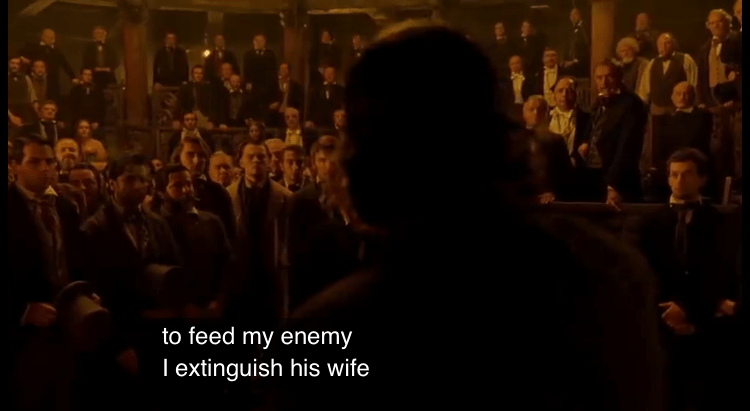
“Thanks for the history lesson, Chris. What’s the point?” The point is when you are being told that something is wonderful, new, and that you should buy in, you have to ask yourself why it hasn’t been sold off to someone way bigger than you. With these far less impressive feats of technology being sold off for billions of dollars and tech giants willing to spend real money on promising technology, there’s a solid question as to why a company hasn’t cashed out. Alphabet’s subsidiary Deep Mind has shown a willingness to burn through half a billion dollars a year on AI research. Youtube’s automated captions fall apart whenever there’s a bit of an accent or some music in a video. Ask yourself, if you were running a company, and you had about $100 million in investor money, would you not sell out for $1 billion or $2 billion? Somebody would buy good ASR. Just ask your wife:
To be frank, Youtube’s automated captions dominate proprietary software from what I’ve seen. Voice recognition is open source. Anybody can get their hands on it. That doesn’t mean the claims behind it are true. Take, for example, this blog post, the seven best spots for open source voice recognition software. They boldly claim that it is “more cost effective as the software performs the task of speech recognition and transcription faster and more accurately than a human.” I’m sorry, but if software that is “more cost effective,” “faster and [more accurate] than a human” is available free on the internet, I’m quite sure that Google, and by extension Youtube, would have figured it out by now. As I said over a year ago, there is an indeterminate amount of time and money needed to get this tech from where it is to where people are saying it is. That won’t stop sellers from selling it to consumers or investors anyway. Similarly, we cannot stop being advocates for consumer awareness.
(P.S., you can buy the Stenonymous Blog for about $6 million.)